
AI Case Routing Between Salesforce and Jira: Beyond Simple Data Sync
Most Salesforce-Jira integrations sync data. But syncing fields isn't routing cases. Here's how AI-powered case routing makes intelligent decisions about where work should go — and what should happen when it gets there.
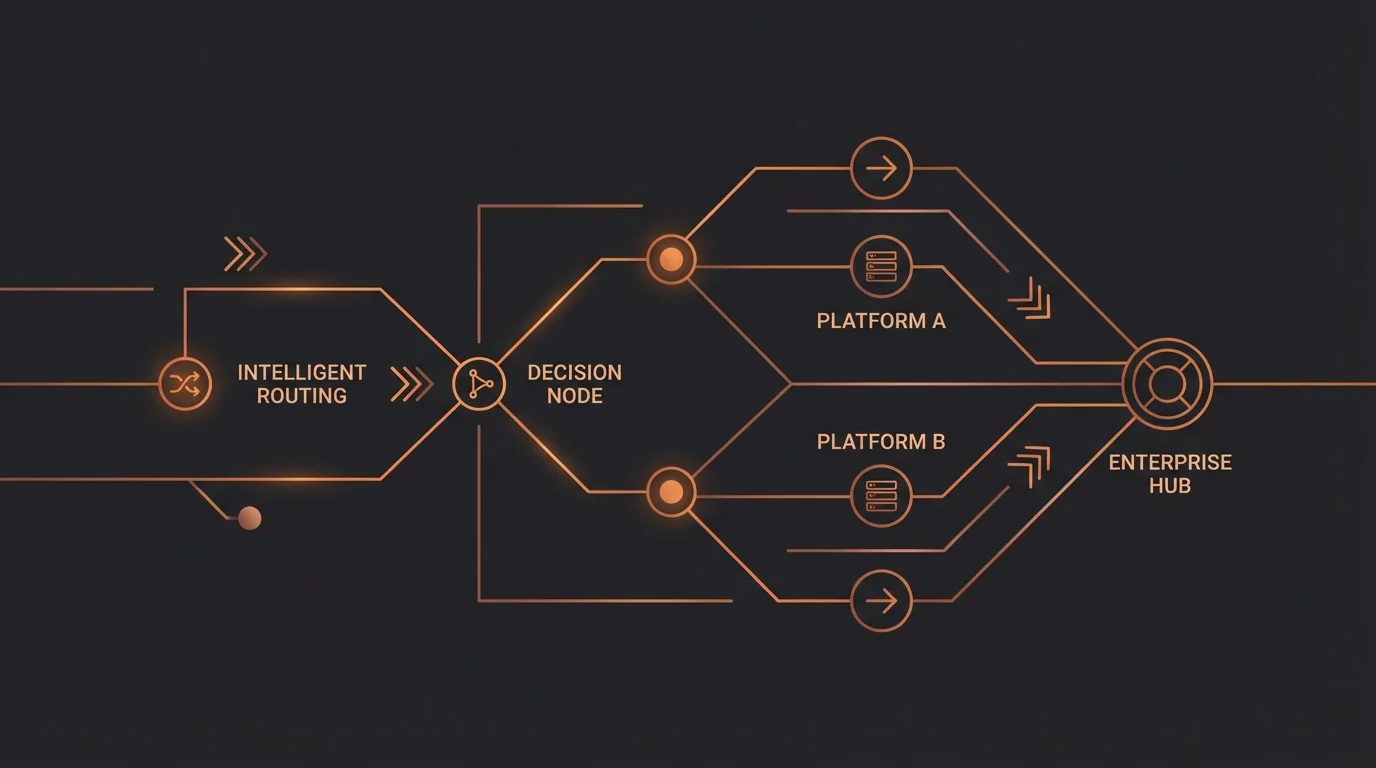
Quick Answer: Intelligent case routing between Salesforce and Jira goes far beyond syncing fields — it requires understanding customer context, engineering capacity, and business priority to decide where work should go and what should happen when it arrives. Field sync tools like Zapier create Jira tickets but cannot make routing decisions based on renewal dates, SLA risk, or team workload. That decision layer is where AI agents add their primary value.
Syncing Data Is Not Routing Cases
Every Salesforce-Jira integration guide you'll find online focuses on the same thing: keeping fields in sync. A case gets created in Salesforce, a matching ticket appears in Jira. The priority field stays updated. Comments flow back and forth. When the Jira issue closes, the Salesforce case closes too.
This is useful. It's also the easy part.
The hard part — the part that actually determines whether a customer waits two hours or two weeks for a resolution — is routing. Not "did the data get copied?" but "where should this case go, who should work on it, and what needs to happen at each step?"
Routing is a decision. Syncing is plumbing. Most integrations give you plumbing and leave the decisions to your team — which means your team is still the bottleneck.
What Routing Actually Looks Like in Practice
Consider what happens when a customer reports a product issue through Salesforce Service Cloud. Before anyone touches a Jira ticket, a series of decisions need to happen:
Decision 1: Does this even need engineering? Not every product complaint is a bug. Some are feature requests. Some are user errors. Some are known issues with documented workarounds. A human rep (or an AI agent) needs to evaluate the case, check the knowledge base, review the customer's description, and determine whether this warrants an engineering escalation.
Decision 2: Which Jira project and team? "Engineering" isn't a monolith. There's the API team, the mobile team, the infrastructure team, the payments team. The right destination depends on the product area affected, which requires understanding the customer's report and mapping it to the right component.
Decision 3: What priority should this carry? A connector might map Salesforce case priority directly to Jira issue priority. But real priority is contextual. A P3 bug affecting a customer with a $500K contract renewal in three weeks is operationally a P1. That context lives in Salesforce — in the opportunity pipeline, the account tier, the contract renewal date — not in the case priority field.
Decision 4: What context does engineering need? A bare-bones Jira issue with "Customer says the export button is broken" wastes engineering time. A well-routed case includes the customer's environment, the steps they took, the error they saw, their account configuration, and any prior tickets reporting similar issues. That context is scattered across Salesforce case history, Zendesk ticket threads, and sometimes the customer's own words in an email.
Decision 5: What happens after routing? The case doesn't end when the Jira issue gets created. Who notifies the customer that engineering is investigating? Who checks in after 48 hours if there's no progress? Who updates the Salesforce case when the Jira issue status changes — and who decides whether the customer response should say "we're working on it" or "this is fixed in the next release"?
A bidirectional sync handles none of these decisions. A connector doesn't know your org chart, your customer tiers, your SLA commitments, or your escalation policies. It just copies fields. Meanwhile, your team burns hours on context switching between platforms to make these decisions manually.
The Gap Between Sync and Intelligence
To make the distinction concrete, here's what each layer of Salesforce-Jira integration actually provides:
Layer 1 — Field sync (connectors like Exalate, Sinergify): Keeps data consistent between platforms. When a Salesforce case field changes, the corresponding Jira field updates, and vice versa. Essential plumbing — but it's a pipe, not a brain.
Layer 2 — Trigger-based automation (Zapier, Workato, MuleSoft): Adds conditional logic: "When a Salesforce case is created with priority = High, create a Jira issue in Project X." Better than manual, but the conditions are static. You're encoding today's routing rules as rigid if-then statements that break the moment your team structure changes or a new edge case appears.
Layer 3 — AI-powered routing (intelligent agents): The agent evaluates the full context — case content, customer profile, account data, team capacity, historical patterns — and makes a routing decision the way your best senior rep would. It doesn't just follow rules; it applies judgment within the boundaries of your SOPs.
Most organizations are stuck at Layer 1 or Layer 2. Layer 3 is where the leverage actually lives.
Five Routing Scenarios Connectors Can't Handle
Scenario 1: The Renewal-Aware Escalation
A Salesforce case comes in tagged "low priority" by the customer. Your connector dutifully creates a P4 Jira issue. But the customer is on an Enterprise plan with a $300K renewal in 21 days, and they've submitted three support tickets this month — a pattern that historically precedes churn.
An intelligent routing agent sees the full picture: case content + account tier + renewal date + ticket velocity. It creates the Jira issue as P2, assigns it to a senior engineer, adds a note about the renewal timeline, and flags the account manager in Salesforce. The connector saw a P4 case. The agent saw a churn risk.
Scenario 2: The Duplicate-Aware Filing
A customer reports a bug that three other customers reported last week. There's already a Jira issue being worked on by the backend team. A connector creates a fourth duplicate Jira issue. An intelligent agent checks for existing issues matching the symptoms, links the Salesforce case to the existing Jira issue instead of creating a duplicate, and updates the customer with the current status and ETA — all without a human touching any platform.
Scenario 3: The Capacity-Aware Assignment
Your mobile team is mid-sprint with zero slack. A mobile bug comes in. The connector routes it to the mobile team's backlog per the static rule. It sits there for two weeks. An intelligent agent checks the mobile team's current sprint capacity in Jira, sees they're overloaded, and routes to the platform team (who can also fix mobile issues, just slower) with a note explaining the capacity constraint. The case gets resolved in three days instead of fourteen.
Scenario 4: The Context-Rich Handoff
A customer explains their issue in conversational language: "The thing we set up last month to auto-generate invoices stopped working after we changed our billing cycle." A connector copies this text into a Jira issue description. An intelligent agent interprets this, checks the customer's Salesforce account for the billing automation they configured, identifies the specific feature and configuration, and creates a Jira issue with: the feature name, the configuration change that likely triggered the issue, the customer's environment details, and links to their previous setup tickets — giving engineering everything they need to diagnose without a back-and-forth.
Scenario 5: The Multi-Platform Cascade
A critical bug affects both the customer-facing product (Jira issue) and the customer's billing (Salesforce case) and requires a proactive outreach to all affected customers (Zendesk campaign). A connector handles one platform pair. An intelligent agent orchestrates across all three: creates the Jira issue for engineering, updates affected accounts in Salesforce with risk flags, and triggers a Zendesk outreach to impacted customers — all from a single trigger event.
How SOP-Driven Routing Works
The key to intelligent routing isn't machine learning trained on historical tickets (though that can help). It's encoding your team's actual routing logic — the decision trees that live in your senior reps' heads and your SOP documents — into the AI agent's framework.
Here's what that looks like in practice:
Step 1: Map your routing decisions. Document every decision point in your escalation flow. When does a case go to engineering? Which team handles which product area? What determines priority? What context needs to travel with the case? Most teams have this knowledge distributed across tribal knowledge, wiki pages, and Slack threads. Consolidating it is the first step.
Step 2: Define the data sources for each decision. For each routing decision, identify where the input data lives. Customer tier → Salesforce Account. Product area → case description + Salesforce product field. Team capacity → Jira sprint board. Renewal date → Salesforce Opportunity. The agent needs to know where to look.
Step 3: Encode the logic with flexibility. Unlike rigid automation rules, SOP-driven routing allows for weighted decisions. "If the customer is Enterprise AND the issue affects revenue AND the team has capacity, route as P1 to the primary team. If the team is overloaded, route as P1 to the secondary team." The logic is explicit, but the agent can adapt when conditions don't perfectly match.
Step 4: Build feedback loops. When a human overrides the agent's routing decision — reassigns the Jira issue to a different team, changes the priority, adds context the agent missed — that override becomes a learning signal. The routing logic improves over time without rewriting the rules.
Measuring Routing Quality
How do you know if your case routing is actually working? Track these metrics:
Reassignment rate. What percentage of Jira issues get reassigned to a different team after initial routing? If it's above 15%, your routing logic is sending cases to the wrong place. Every reassignment adds 1–3 days to resolution time.
Time to first engineering action. Not time to Jira issue creation — time to the first meaningful engineering action (comment, status change, commit reference). If issues are getting created quickly but sitting untouched, the routing is fast but the assignment is wrong.
Context sufficiency score. Track how often engineers ask the support team for more information after a case is routed. Every round-trip question adds a day. Good routing means the Jira issue arrives with everything engineering needs.
SLA alignment. Are high-priority customers actually getting faster engineering response? Compare SLA performance across customer tiers. If your Enterprise customers aren't consistently faster than your free-tier users, your routing isn't incorporating customer context effectively.
Duplicate creation rate. How many Jira issues get closed as duplicates? Each duplicate wastes triage time and fragments the conversation about a single issue.
If you're tracking these today, you probably already know where the gaps are. If you're not, start — the numbers are almost always worse than teams assume.
The Shift: From Routing Rules to Routing Intelligence
The fundamental problem with connector-based routing is that it treats routing as a configuration problem — set the rules once, maintain them as the org changes. In practice, routing is a judgment problem. The right destination for a case depends on context that changes daily: team capacity, customer risk, sprint cycles, ongoing incidents, and the specific nuances of each case.
Static rules can't adapt to context. AI agents can.
The shift isn't about replacing your connectors — field sync is still necessary plumbing. It's about adding an intelligence layer on top that makes the decisions your connectors aren't equipped to make. Keep the sync. Add the brain.
Your senior reps already make these routing decisions dozens of times a day. They just shouldn't have to.
Further Reading
- Why Cross-Platform Is the Only Path Forward for AI Agents
- Agentforce vs. Cross-Platform AI Agents: Which Approach Fits?
- What Are SOP-Driven AI Agents?
CorePiper deploys AI agents that route cases intelligently across Salesforce, Jira, and Zendesk — following your SOPs, adapting to context, and learning from every correction. See intelligent routing in action →
Frequently Asked Questions
Q: What is the difference between Salesforce-Jira data sync and intelligent case routing?
Data sync copies field values between systems — a Salesforce case gets mirrored as a Jira ticket with the same fields. Intelligent routing decides which cases should become Jira tickets, which engineering team should own them, what priority to assign based on customer context, and when to escalate based on SLA timelines. Sync is mechanical; routing is contextual.
Q: What signals should AI use when routing cases from Salesforce to Jira?
Effective routing considers customer tier and contract value, renewal date proximity, current SLA breach risk, engineering team capacity and specialization, and whether the issue matches known bug patterns. AI agents can evaluate these signals simultaneously to make routing decisions that a simple rule engine cannot handle.
Q: How does human-in-the-loop feedback improve routing accuracy over time?
When agents make a routing decision and a human engineer overrides it — moving the ticket to a different team or changing the priority — the AI captures that correction and updates its routing logic. Over time, the agent develops an accurate model of how your specific team handles edge cases that no initial configuration could have anticipated.