
How to Automate Proof Gathering for Shortage Claims: A Step-by-Step Playbook
50-60% of freight shortage claims get denied due to documentation failures. This step-by-step playbook shows how to automate proof gathering across carrier portals, TMS, and Salesforce — cutting claim resolution time from weeks to hours.

The Short Answer: Documentation Failures Kill More Claims Than Bad Carriers
Between 50% and 60% of freight shortage claims get denied — and the number one reason isn't disputed liability or carrier negligence defenses. It's incomplete documentation. Missing proof of delivery. Unsigned bills of lading. Photographs that were never taken. Inspection reports that exist in someone's email but never made it to the claims file.
The Carmack Amendment gives shippers strong legal footing. Under federal law, once a shipper proves that goods were tendered in good condition and arrived damaged or short, the burden shifts to the carrier to prove one of five narrow defenses. The law is on the shipper's side. But none of that matters if you can't assemble the proof package to establish a prima facie case.
This playbook walks through every proof type required for shortage claims, where each document lives across your systems, and how to automate the entire gathering process so claims get filed with complete documentation in hours instead of weeks.
Why Shortage Claims Are Uniquely Difficult
Shortage claims are a distinct category in freight claims management, and they present challenges that damage claims don't. When freight arrives damaged, the evidence is often visible — crushed packaging, water stains, broken seals. A dock worker can photograph the damage, notate the delivery receipt, and the claim practically writes itself.
Shortage claims are different. The evidence is the absence of something. You ordered 200 units, but only 180 arrived. There's no crushed box to photograph. There's a gap — and proving that gap requires pulling documentation from multiple systems, multiple parties, and multiple points in the shipment lifecycle.
The Five Proof Types Every Shortage Claim Needs
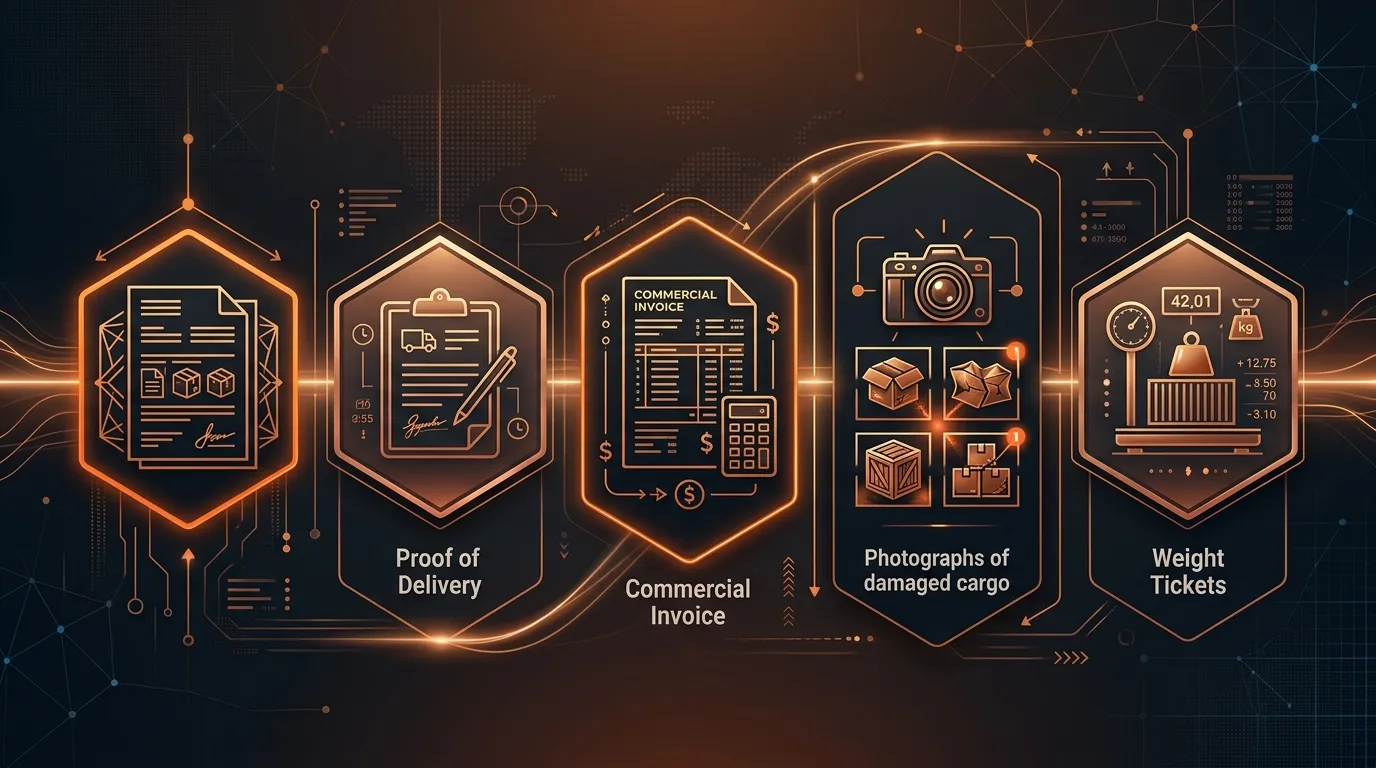
To successfully file and win a shortage claim, you need five categories of proof assembled into a single claims package:
1. Bill of Lading (BOL) with Original Piece Count
The BOL is your origin document. It records what the shipper tendered to the carrier — including piece count, pallet count, weight, and freight class. Under the Carmack Amendment, the BOL serves as both a receipt for the goods and a contract of carriage. An inaccurate or incomplete BOL is the single most common reason shortage claims get denied before they're even investigated.
Your BOL must show that the correct quantity was loaded. If the piece count on the BOL doesn't match the purchase order quantity, you've already lost the claim. Carriers will point to the BOL as proof that they received and transported exactly what was documented.
2. Proof of Delivery (POD) with Shortage Notations
The POD is where the rubber meets the road. When freight arrives with fewer pieces than the BOL specified, the receiving party must notate the shortage on the delivery receipt before signing. A "clean" POD — one signed without exception notations — is effectively a statement that the shipment arrived complete and undamaged.
This is where most shortage claims die. Dock workers are under time pressure. Drivers are waiting. The receiving team counts pallets, not individual pieces. By the time someone realizes 20 units are missing, the driver is gone and the POD is signed clean.
3. Original Invoice Proving Commodity Value
You need the commercial invoice or purchase order that establishes the value of the missing goods. Carriers won't pay claims without proof of the financial loss. The invoice must match the items described on the BOL — same SKU, same description, same quantity. Any discrepancy between the invoice and the BOL gives the carrier an opening to dispute the claim.
4. Photographs and Inspection Reports
Even for shortage claims, photographic evidence matters. Pictures of the received shipment showing the actual piece count versus expected count, images of opened pallets showing empty spaces where units should be, and photographs of packaging that shows signs of pilferage or tampering all strengthen the claim.
For high-value shortages, a formal inspection report — either from an independent inspector or from your own quality team — documents the discrepancy in detail. Some carriers require this for claims above certain thresholds.
5. Weight Tickets and Seal Records
Weight discrepancies are powerful evidence in shortage claims. If the BOL shows a shipment weight of 4,000 pounds but the delivery weighs 3,200 pounds, the 800-pound difference corroborates the missing units. Similarly, seal records showing that the trailer seal was intact at origin but broken or replaced at delivery can establish that goods were removed in transit.
Where Each Proof Type Lives (And Why That's the Problem)
Here's the operational reality that makes shortage claims so painful: these five proof types don't live in one system. They're scattered across your technology stack, your carrier's systems, and sometimes physical filing cabinets.
The Typical Enterprise Proof Map
| Proof Type | Primary Location | Backup Location | Access Method |
|---|---|---|---|
| Bill of Lading | TMS (MercuryGate, BluJay, Oracle TMS) | Carrier portal, email attachments | API, manual download |
| Proof of Delivery | Carrier portal (FedEx, XPO, Saia) | TMS (if integrated), email | Carrier portal login, API (if available) |
| Commercial Invoice | ERP (SAP, Oracle, NetSuite) | Salesforce, shared drives | API, manual export |
| Photographs | Email attachments, dock worker phones | Shared drives, claims management system | Manual forwarding, upload |
| Weight Tickets | Carrier portal, weigh station receipts | TMS, paper files | Manual retrieval |
| Seal Records | Carrier tracking system, BOL notes | Driver logs | Carrier portal, phone call |
A single shortage claim might require logging into your TMS to pull the BOL, navigating to the carrier's portal to download the POD, pulling the invoice from SAP, tracking down photos from a dock supervisor's email, and calling the carrier to request weight tickets.
For a company processing 50 to 100 shortage claims per month, that's 250 to 600 manual document retrieval actions — each one requiring a different login, a different interface, and a different data format.
The Time Cost Is Staggering
Industry benchmarks show that manual proof gathering for a single shortage claim takes between 2.5 and 4 hours of analyst time. That includes:
- 45–60 minutes searching for and downloading the BOL from the TMS or carrier portal
- 30–45 minutes retrieving the POD from the carrier's website (assuming you remember the login credentials and the carrier's portal actually works)
- 15–20 minutes pulling the commercial invoice from the ERP system
- 30–45 minutes tracking down photographs via email, chat, or phone calls to the dock team
- 20–30 minutes requesting weight tickets and seal records from the carrier
- 15–20 minutes organizing everything into the carrier's required claims format
At an average claims analyst salary of $55,000 to $65,000 per year, those 2.5 to 4 hours per claim translate to $35 to $56 per claim just in labor costs for document gathering. For a company filing 100 claims per month, that's $3,500 to $5,600 per month — $42,000 to $67,200 per year — spent on gathering documents, not analyzing claims or negotiating settlements.
And that's before you factor in the claims that never get filed because the documentation effort exceeds the claim value. A $500 shortage claim that takes 3 hours to document has a negative ROI when you account for analyst time. So it gets written off. Multiply that across hundreds of small-value shortages and the revenue leakage is substantial.
The Step-by-Step Automation Playbook
Automating proof gathering for shortage claims doesn't require ripping out your existing systems. The goal is to build an automated retrieval and assembly layer that sits on top of your TMS, ERP, carrier portals, and communication tools.
Here's the workflow, broken into six discrete steps.
Step 1: Detect the Shortage at the Dock
Automation starts at the point of receipt. When freight arrives, the receiving process should capture three data points immediately:
- Expected quantity — pulled automatically from the purchase order or advance ship notice (ASN) in your ERP
- Actual quantity received — entered by the dock worker during receiving
- Condition notes — any visible damage, broken seals, or signs of tampering
If the actual quantity is less than the expected quantity, the system should immediately trigger a shortage alert. This isn't a "file a claim" action — it's a "start gathering proof" action.
How to implement this: Most modern warehouse management systems (WMS) and ERP systems support receiving discrepancy alerts. Configure your WMS to compare ASN quantities against received quantities and fire a webhook or event when the variance exceeds a threshold (typically any shortage, though some companies set a minimum dollar value). If you're using Salesforce as your operational hub, create a flow that monitors receiving records and triggers a case when a shortage is detected.
Step 2: Auto-Retrieve the Bill of Lading
Once a shortage is detected, the first document to grab is the BOL. This is your "what was supposed to ship" document.
From your TMS: Most enterprise TMS platforms — MercuryGate, BluJay, Oracle Transportation Management, SAP TM — expose APIs that allow you to retrieve shipment documents by load number, shipment ID, or PRO number. Set up an automated API call that pulls the BOL as soon as the shortage alert fires. The query should include:
- Load/shipment ID (from the receiving record)
- Document type filter (BOL only)
- Format preference (PDF for claims filing)
From carrier portals: If your TMS doesn't store the BOL (or if it's a broker-managed shipment where documents are on the carrier's side), you'll need to pull it from the carrier portal. Major LTL carriers like XPO Logistics, Saia, Estes, and Old Dominion offer document retrieval APIs. FedEx Freight and UPS Freight provide document download endpoints in their shipping APIs.
For carriers without APIs (and there are still many), an AI agent can navigate carrier portals programmatically — logging in, searching by PRO number, and downloading the BOL PDF. This is where SOP-driven automation becomes essential: the agent follows a documented procedure for each carrier's specific portal layout and authentication flow.
Validation check: Before filing the retrieved BOL, verify that the piece count on the BOL matches the expected quantity from the purchase order. If there's already a discrepancy between the PO and BOL, the shortage may have occurred before the carrier took possession — a completely different claim scenario.
Step 3: Auto-Retrieve the Proof of Delivery
The POD is the most critical document in a shortage claim. It's also the most annoying to retrieve manually, because it lives on the carrier's side.
Carrier API retrieval: Build integrations with your top carriers by volume. For your top 10 carriers (which typically handle 70–80% of your freight), invest in direct API integrations that pull the POD automatically by PRO number or tracking number. Most major carriers return the signed POD as a PDF or image within 24–48 hours of delivery.
AI agent retrieval for the long tail: For the remaining 20–30% of carriers who don't offer APIs or whose APIs are unreliable, deploy an AI agent that monitors for POD availability and retrieves documents when they're posted. The agent should:
- Check the carrier portal daily for the first 5 days after delivery
- Download the signed POD when available
- OCR the POD to extract key data: delivery date, receiver signature, piece count received, and — critically — any exception notations
- Flag PODs that show shortages notated versus clean PODs
Critical automation rule: If the POD is signed clean (no shortage notation) but the receiving team documented a shortage, the system should immediately flag this discrepancy. A clean POD with a shortage claim is an uphill battle. Your team needs to know this immediately — not two weeks later when someone finally reviews the claim file — so they can pursue a concealed shortage claim within the 5-business-day window that most carriers require.
Step 4: Pull the Commercial Invoice and Purchase Order
This step is straightforward if your ERP and claims system share a data layer. When the shortage alert includes a PO number or order ID, query the ERP API to retrieve:
- The purchase order showing ordered quantities and unit prices
- The commercial invoice showing the total value of the shipment
- Any packing lists that detail the contents of each pallet or carton
Cross-reference automation: Have the system automatically cross-reference the invoice line items against the BOL and the actual received quantities. The output should be a shortage summary table:
| Item | Ordered | Shipped per BOL | Received | Short | Unit Price | Shortage Value |
|---|---|---|---|---|---|---|
| Widget A | 200 | 200 | 180 | 20 | $25.00 | $500.00 |
| Widget B | 100 | 100 | 100 | 0 | $40.00 | $0.00 |
This table becomes the backbone of your claims filing. It's also the document that establishes the "amount of damages" element of your Carmack Amendment prima facie case.
Step 5: Collect Photographs and Inspection Evidence
This is the hardest step to fully automate because photographs require a human at the dock with a camera. But you can automate the collection and filing of those photographs.
Automated photo collection workflow:
-
When a shortage is detected at receiving, the system sends an automated notification to the dock supervisor's mobile device: "Shortage detected on PO #12345 from Carrier XYZ. Please photograph: 1) the shipment as received, 2) the pallet/carton count, 3) any signs of tampering or repackaging, 4) the trailer seal number."
-
The dock supervisor takes photos directly from the notification link, which uploads them to the claims case automatically — no email forwarding, no searching through camera rolls later.
-
The system timestamps and geo-tags each photo, creating an evidence chain that carriers can't dispute.
Automated inspection report generation: For shortages above a dollar threshold (say $2,500), automatically generate a formal inspection report template pre-populated with the shipment details, shortage quantities, and received condition. The dock supervisor fills in the inspection findings, signs digitally, and the report attaches to the claims case.
Step 6: Request Weight Tickets and Seal Records
Weight tickets and seal records provide corroborating evidence that the shortage occurred in transit. These documents primarily live with the carrier, so retrieval is a request-based process.
Automated carrier notification: When a shortage claim is initiated, automatically send a standardized document request to the carrier that includes:
- PRO number and BOL number
- Specific documents requested: origin weight ticket, destination weight ticket, seal log (seal number applied at origin, seal number recorded at delivery)
- Filing deadline reminder (per the carrier's tariff or the Carmack Amendment's 9-month window)
- Clear language that failure to provide documents within 30 days will be treated as acceptance of liability
Carrier response tracking: The system should track whether each requested document has been received, send automated follow-ups at 7, 14, and 21 days, and escalate to a claims analyst if documents aren't received within 30 days.
Putting It All Together: The Automated Claims Assembly
Once all six steps have executed, you have a complete claims package assembled without a human touching a portal, sending an email, or making a phone call. The package includes:
- BOL with verified piece count matching the PO
- POD with shortage notations identified (or clean POD flagged as a concealed shortage)
- Commercial invoice and PO establishing the value of the shortage
- Photographs timestamped and linked to the shipment
- Shortage summary table cross-referencing ordered, shipped, and received quantities
- Weight ticket and seal record requests sent to the carrier with tracking
The system can then auto-generate the formal claim letter — a written demand for a specific dollar amount with all supporting documentation attached — and either file it directly through the carrier's claims portal API or queue it for a one-click human review and submission.
The Human-in-the-Loop Step
Not every claim should be filed automatically. The automation handles proof gathering — the labor-intensive, error-prone part. But a human should review the assembled package before filing, especially for:
- High-value claims (above $5,000) where negotiation strategy matters
- Concealed shortages where the legal timeline is tight and the success rate is lower
- Repeat offenders where you may want to escalate to a vendor performance review rather than just filing another claim
- Ambiguous evidence where the POD notation is unclear or the photos don't conclusively show a shortage
This is the difference between RPA-style automation (which would blindly file every claim) and SOP-driven AI automation (which follows your claims team's actual decision-making process). The AI gathers the proof, assembles the package, and presents it for human decision. The human reviews, approves, and the system files.
Architecture: Where AI Agents Fit in the Stack
The six-step playbook above can be implemented with different levels of technology. Here's how the stack looks at each maturity level:
Level 1: Scripts and Connectors
At the most basic level, you can build this with cron jobs, API scripts, and Zapier/Workato workflows. This works for companies with 3 to 5 carriers and a single TMS. The limitation: every new carrier requires a new script, and portal changes break automations constantly.
Typical setup time: 3–6 months of developer time Maintenance burden: High — carrier portals change layouts quarterly
Level 2: RPA Bots
Robotic Process Automation tools like UiPath, Automation Anywhere, or Power Automate can handle carrier portal navigation and document downloads. RPA is better than scripts for the long-tail carrier problem because bots can interact with web UIs regardless of whether an API exists.
Limitation: RPA bots are brittle. They follow pixel-perfect scripts — when a carrier updates their portal layout, the bot breaks. They also can't reason about exceptions. If the POD shows a different PRO number than expected (because of a re-pro), an RPA bot won't know what to do. A human has to intervene.
Typical setup time: 2–4 months per carrier Maintenance burden: Medium-high — 20–30% of bot runs fail due to portal changes
Level 3: SOP-Driven AI Agents
AI agents that operate from standard operating procedures represent the current state of the art. Instead of following rigid scripts, the agent understands the goal (retrieve the POD for PRO #123456 from XPO Logistics) and adapts to achieve it. If the carrier portal layout changes, the agent still knows what it's looking for. If a PRO number gets reassigned, the agent can search by BOL number or delivery date instead.
SOP-driven agents also handle the cross-system reasoning that scripts and RPA can't. When the POD shows 18 pallets received but the BOL shows 20 pallets shipped, the agent doesn't just flag a discrepancy — it pulls the weight tickets to check if the weight differential corroborates the pallet shortage, checks whether the carrier's tracking shows any stops or transfers that could explain missing freight, and presents the full evidence package with a confidence assessment.
Typical setup time: Days to weeks (SOP ingestion, not custom development) Maintenance burden: Low — the agent adapts to portal changes
Real Numbers: What Automation Changes
Here's what companies typically see after automating proof gathering for shortage claims:
Time Savings
| Metric | Manual Process | Automated Process | Improvement |
|---|---|---|---|
| Time to gather proof per claim | 2.5–4 hours | 15–30 minutes | 85–90% reduction |
| Time to file claim after delivery | 7–14 days | 24–48 hours | 80% faster |
| Claims filed with complete documentation | 40–60% | 90–95% | 50% improvement |
| Small-value claims filed under $500 | ~10% not worth the effort | ~85% automation makes it worthwhile | 8x more claims filed |
Financial Impact
For a company processing 100 shortage claims per month with an average claim value of $2,800:
- Labor savings: $42,000–$67,200/year in analyst time redirected from document gathering to negotiation and recovery
- Increased claim filing rate: Filing the small-value claims that previously got written off recovers an estimated $8,000–$15,000/month in previously abandoned shortage value
- Higher approval rate: Complete documentation packages improve carrier approval rates from roughly 45% to 75%, recovering an additional $50,000–$80,000/year
- Faster cash recovery: Filing claims in 48 hours instead of 14 days accelerates the carrier's 120-day response clock, getting settlements 12 days sooner on average
Total estimated annual impact: $200,000–$350,000 for a mid-market shipper processing 100 claims per month.
The Concealed Shortage Problem (And Why Speed Matters)
Concealed shortages are the most dangerous claim type for shippers. A concealed shortage occurs when the delivery appears complete at the dock — correct pallet count, intact packaging, signed clean POD — but the actual unit count is short inside the cartons.
The challenge: most carrier tariffs require concealed damage and shortage claims to be reported within 5 business days of delivery. Some carriers require notification within 15 days, but the trend is toward shorter windows. If you don't discover and report the shortage within that window, the claim is dead on arrival.
This is where automation provides the most dramatic value. An automated system that cross-references received quantities against PO quantities at the point of put-away (when cartons are opened and individual units are counted) can detect concealed shortages within hours of delivery — well within the 5-day window.
The automated concealed shortage workflow:
- Receiving team accepts delivery based on pallet/carton count — POD is signed clean
- During put-away (typically within 24 hours), WMS records actual unit counts per carton
- System detects unit-level shortage: 180 units received versus 200 ordered
- Concealed shortage alert fires immediately
- Proof gathering automation kicks in: BOL, POD, invoice, photos requested
- Concealed shortage notification sent to carrier within 24–48 hours of delivery
- Carrier cannot claim late notification defense
Without automation, concealed shortages often aren't discovered until inventory reconciliation — which might happen weekly, monthly, or quarterly. By then, the 5-day notification window has long closed.
Common Carrier Defenses Against Shortage Claims (And How Documentation Beats Them)
Understanding how carriers defend against shortage claims helps you understand why thorough documentation matters.
Defense 1: "The BOL Count Was Accurate — You Received What We Picked Up"
What they're saying: The shipper gave us 180 units, not 200. The shortage happened before we took possession.
How documentation beats it: If your BOL clearly shows 200 units loaded, witnessed and signed by both the shipper and the carrier driver, this defense fails. This is why BOL accuracy at origin is non-negotiable — and why automated cross-referencing between the PO and BOL is the first step in the playbook.
Defense 2: "The POD Was Signed Clean"
What they're saying: Your receiving team signed for the delivery without noting any shortage. That's acceptance of a complete shipment.
How documentation beats it: For visible shortages, this defense is strong — which is why ensuring dock workers notate every discrepancy on the POD is critical. For concealed shortages (where the carton-level count was correct but the unit-level count was short), a clean POD doesn't negate the claim as long as you notified the carrier within the required concealed shortage window and can demonstrate through weight tickets, photos, or inspection reports that the shortage occurred in transit.
Defense 3: "The Claim Was Filed Outside the Window"
What they're saying: The Carmack Amendment allows carriers to require claims within 9 months, but most carrier tariffs require initial notification much sooner — often 15 to 30 days.
How documentation beats it: Automated claim filing eliminates this defense entirely. When proof gathering happens in hours instead of weeks, claims are filed days after delivery — not months.
Defense 4: "Insufficient Documentation"
What they're saying: Your claim package is missing required documents. We can't process it.
How documentation beats it: This is the most common denial reason and the most preventable with automation. An automated system ensures every claim package includes all five proof types before submission. The system won't file an incomplete claim — it'll tell you what's missing and help you get it.
Defense 5: "Act of the Shipper"
What they're saying: The shortage resulted from improper loading, packaging, or labeling by the shipper. This is one of the five Carmack Amendment exceptions to carrier liability.
How documentation beats it: Origin photos showing proper loading, sealed trailer photos, and weight tickets that match the expected shipment weight all counter this defense. Automated origin documentation — increasingly common with smart dock systems — makes this evidence standard rather than exceptional.
Getting Started: A 30-Day Implementation Plan
You don't need to automate everything at once. Here's a practical 30-day plan to start automating proof gathering for shortage claims:
Week 1: Map your proof sources. Document where each of the five proof types lives in your current systems. Identify which carriers offer document retrieval APIs and which require portal navigation. List your top 10 carriers by claim volume (not shipment volume — the carriers with the most claims are your priority).
Week 2: Automate shortage detection. Configure your WMS or ERP to fire alerts when receiving quantities don't match ASN/PO quantities. Set up the mobile notification workflow for dock photographs. This single step — catching shortages at the dock instead of during inventory reconciliation — is the highest-value change you can make.
Week 3: Build BOL and invoice retrieval. Connect your TMS and ERP APIs to your claims workflow. These are typically the easiest integrations because both systems are internal and API access is under your control. Automate the cross-reference table that compares ordered, shipped, and received quantities.
Week 4: Tackle POD retrieval for top carriers. Start with your top 3 carriers by claims volume. Build or deploy AI agent integrations that retrieve PODs automatically by PRO number. For carriers with APIs, build direct integrations. For carriers without APIs, deploy an AI agent that navigates their portal. Test end-to-end with real shortage claims.
Ongoing: Expand carrier coverage and refine. Add carriers one at a time. Each new carrier integration reduces manual work further. Track your documentation completeness rate, claim approval rate, and average time from delivery to claim filing. These three metrics tell you whether the automation is working.
FAQ: Automating Shortage Claims Proof Gathering
What documents are legally required for a shortage claim under the Carmack Amendment?
Under the Carmack Amendment, a shipper must establish three elements for a prima facie claim: (1) the carrier received the goods in good condition, (2) the goods arrived damaged, lost, or short, and (3) the amount of damages. Practically, this means you need a clean BOL showing original quantities, a POD showing the shortage or evidence of concealed shortage, and a commercial invoice establishing the dollar value. Weight tickets, photographs, and inspection reports strengthen the case but aren't strictly required by statute.
How long do I have to file a shortage claim?
The Carmack Amendment allows carriers to require claims within 9 months of delivery. However, most carrier tariffs impose shorter windows — typically 15 to 60 days for initial notification and 9 months for formal filing. Concealed shortages usually must be reported within 5 business days of discovery. Automated proof gathering ensures you file well within these windows regardless of the carrier's specific requirements.
Can I automate proof gathering without replacing my existing TMS?
Yes. Proof gathering automation sits on top of your existing TMS, ERP, and carrier relationships. It queries your existing systems via API, retrieves documents from carrier portals, and assembles them into a claims package. You don't need to migrate data or change your operational workflows. The automation layer reads from your systems — it doesn't replace them.
What's the difference between a visible shortage and a concealed shortage?
A visible shortage is apparent at delivery — the pallet count is wrong, cartons are clearly missing, or the BOL count doesn't match what's on the truck. These must be notated on the POD at the time of delivery. A concealed shortage isn't discovered until cartons are opened during put-away or inventory counts. Concealed shortages have much tighter notification windows (typically 5 business days) and lower success rates because the clean POD creates an adverse presumption.
How does CorePiper handle shortage claims proof gathering?
CorePiper's SOP-driven AI agents automate the entire proof gathering workflow described in this playbook. You upload your claims SOPs, connect your TMS, ERP, and carrier portals, and the agent handles document retrieval, cross-referencing, and claims package assembly. The agent adapts to carrier portal changes without reprogramming, handles exceptions intelligently (like re-proed shipments or merged BOLs), and routes completed packages to your claims team for human review before filing. Setup takes days, not months. At $2.50 per case, it's a fraction of the cost of the manual process — or of building and maintaining custom integrations.
The Bottom Line
Shortage claims documentation is a solved problem — the technology exists to automate every step from detection to filing. The question isn't whether to automate, but how fast you can get there before the next quarter's write-offs hit your P&L.
The companies that win the most shortage claims aren't the ones with the best lawyers or the most aggressive negotiators. They're the ones with the most complete documentation packages, filed within the tightest timelines, with evidence that carriers can't dispute.
Automation makes that the default rather than the exception.
CorePiper automates shortage claims proof gathering with SOP-driven AI agents that work across your TMS, ERP, and carrier portals. Book a demo to see how we cut claim resolution time from weeks to hours — and recover the revenue your team is currently writing off.