
HubSpot vs Salesforce for AI Agents: Which CRM Works Better with Automation?
HubSpot and Salesforce both offer AI agents in 2026, but API quality, webhook reliability, and data model flexibility determine which CRM actually works for cross-platform automation. Here's the breakdown.
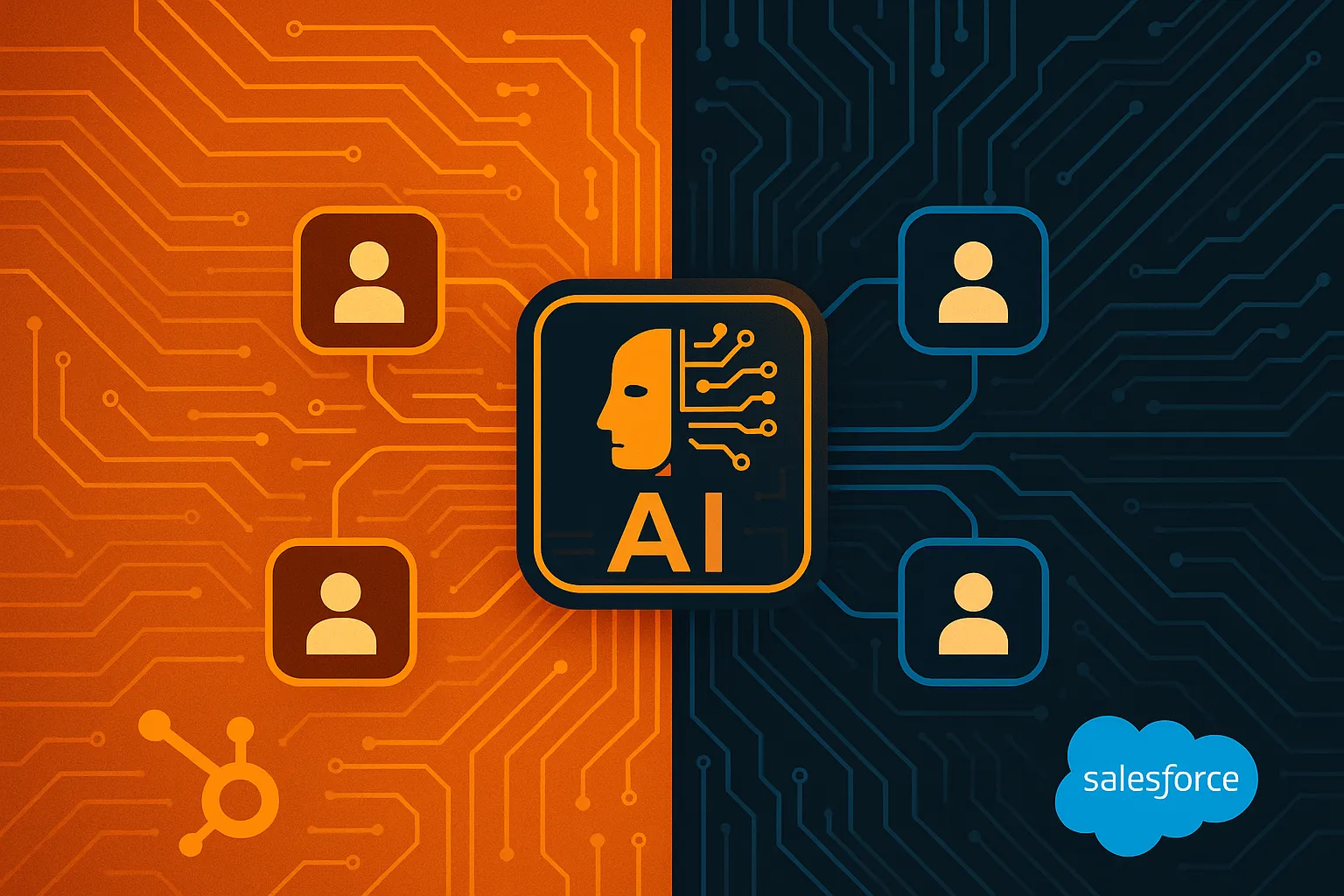
Quick Answer: HubSpot and Salesforce both ship AI agents in 2026 — Breeze for HubSpot, Agentforce for Salesforce. But for operations teams running automation across CRM, ticketing, and project management, the real question isn't which CRM has better AI. It's which CRM's API, webhook infrastructure, and data model actually support cross-platform AI agents. The answer is more nuanced than either vendor would like you to believe — and for teams running multiple systems, a CRM-agnostic AI layer may be the only architecture that works.
The Wrong Question Everyone Is Asking
The HubSpot versus Salesforce debate has been running for over a decade. In 2026, it got a fresh coat of paint: both platforms now ship AI agents, and the conversation has shifted from "which CRM is better" to "which CRM's AI is better."
That's the wrong question.
Here's the right one: which CRM's infrastructure — APIs, webhooks, data models, event systems — actually supports the automation workflows your team needs to run?
Because here's what neither HubSpot nor Salesforce will tell you in their product keynotes: their AI agents are designed to work inside their own platforms. Breeze agents operate on HubSpot data. Agentforce agents operate on Salesforce data. Neither natively orchestrates workflows across the other — or across Zendesk, Jira, ServiceNow, or any of the other six systems your operations team touches daily.
This post breaks down what actually matters for AI agent automation: API quality, webhook reliability, data model flexibility, and the real cost of running agents that stay trapped inside a single CRM.
AI Agents in 2026: Where Both Platforms Stand
Before we get into infrastructure, let's establish the current state of AI agents on both platforms.
HubSpot Breeze AI
HubSpot's Breeze AI launched as a unified AI suite across all its hubs — Marketing, Sales, Service, Content, and Operations. As of early 2026, Breeze Studio agents default to GPT-5 and handle four primary workflows:
- Prospecting Agent: Researches leads from web and social sources, enriches contact records, drafts personalized outreach sequences
- Customer Agent: Handles inbound support using knowledge base content and CRM history, escalates to human agents with full context
- Content Agent: Generates blog posts, landing page copy, email sequences, and social content based on brand voice
- Deal Intelligence: Summarizes deal activity, suggests next steps, flags at-risk opportunities
The key advantage: Breeze agents inherit CRM permissions automatically, require no Data Cloud equivalent, and deploy without additional licensing beyond your existing HubSpot tier. HubSpot reports 279,000+ customers with access to Breeze capabilities.
Salesforce Agentforce
Salesforce's Agentforce reached 18,500 customers and $540M ARR by early 2026, processing over 3 billion monthly workflows. It's architecturally more powerful than Breeze, built on three layers:
- Einstein AI: Model inference and natural language processing
- Data Cloud: Unified real-time data access across the Salesforce ecosystem
- Agent Builder: No-code agent creation with access to the full AppExchange ecosystem
Agentforce supports custom agent creation for any Salesforce workflow, cross-cloud orchestration (Sales, Service, Commerce, Marketing), and deep multi-step autonomous actions.
The catch: Data Cloud dependency, $2/conversation pricing or $500 per 100,000 Flex Credits, and significant configuration overhead requiring Salesforce admin expertise.
The Shared Blind Spot
Neither platform addresses cross-platform automation natively. Breeze agents can't execute workflows in Jira. Agentforce agents can't update Zendesk tickets without custom MuleSoft integrations. Both assume your world lives inside a single CRM — and for most operations teams, that assumption is wrong.
API Quality: The Foundation AI Agents Depend On
AI agents are only as good as the APIs they sit on. If the API is slow, unreliable, or incomplete, the agent will be too. Here's how HubSpot and Salesforce compare on the dimensions that actually matter for automation.
REST API Design
HubSpot provides a clean, well-documented REST API with consistent endpoints across CRM objects. The API follows predictable patterns — GET /crm/v3/objects/contacts, POST /crm/v3/objects/deals — making it straightforward for AI agents to discover and interact with resources without custom configuration for each object type.
The Spring 2026 update introduced date-based API versioning (/2026-03/), giving developers explicit control over which API version they target. This is a meaningful improvement for AI agent stability: when HubSpot changes field names or response structures, agents pinned to a specific version won't break unexpectedly.
Salesforce offers a more complex API surface. The REST API, SOAP API, Bulk API 2.0, and Streaming API each serve different use cases. For AI agents, the REST API handles individual record operations, while the Bulk API processes large datasets. The recently announced Headless 360 initiative exposes Salesforce data and workflows as APIs designed specifically for AI agents — an explicit acknowledgment that the existing API surface wasn't built for agent-driven access patterns.
The tradeoff: Salesforce's API breadth is an advantage for complex workflows, but it comes with a steeper learning curve. AI agents need to understand which API to use for which operation, and the rules differ between them.
API Rate Limits
Rate limits directly constrain how many actions an AI agent can take per time period. Here's the comparison:
| Dimension | HubSpot | Salesforce |
|---|---|---|
| OAuth app rate limit | 100-110 requests/10 sec | Varies by edition |
| Burst allowance | Up to 150 requests/10 sec | API allocation-based |
| Daily limit (Enterprise) | Up to 1M requests/day | 1,000-100,000+ calls/day |
| Webhook calls | Don't count toward API limits | Count toward API allocation |
| Capacity packs | Available for higher limits | Additional licenses increase allocation |
HubSpot's rate limiting is burst-friendly — agents making rapid sequential API calls get more headroom. Salesforce's allocation model provides a higher total daily ceiling for large enterprises, but the burst pattern is less forgiving. For AI agents that process events in real-time and take immediate action, HubSpot's model is more forgiving.
One critical detail: HubSpot webhook calls triggered by workflows don't count toward API rate limits. This is a significant advantage for AI agent architectures that use webhooks as event triggers. Salesforce counts most API interactions toward the same allocation pool.
API Consistency and Error Handling
HubSpot's API returns consistent error codes across endpoints with clear rate-limit headers (X-HubSpot-RateLimit-Daily-Remaining, X-HubSpot-RateLimit-Secondly-Remaining). AI agents can programmatically adjust their request patterns based on these headers.
Salesforce provides similar headers but the error handling varies between REST, SOAP, and Bulk APIs. An AI agent consuming all three must handle three different error schemas. The recently introduced Agent API simplifies this for agents operating within the Agentforce framework, but it adds another API to the surface area.
Webhook Reliability: How Real-Time Is Real-Time?
For AI agents, webhooks are the difference between reacting in seconds and polling in minutes. Here's how the two platforms compare on the event infrastructure that agents depend on.
HubSpot Webhooks
HubSpot overhauled its webhook system in late 2025, and the Spring 2026 update added several important capabilities:
- Webhooks Journal API: Provides batched reads for higher-throughput journal processing. If your AI agent misses a webhook (network blip, processing delay), it can read the journal to catch up rather than requiring a full re-sync.
- CRM object filtering: Subscriptions can filter by specific object types and properties, reducing event noise. An AI agent monitoring deal stage changes doesn't need to process every contact update.
- List membership subscriptions: Real-time tracking of list changes — useful for agents that trigger workflows based on segmentation.
- Signature verification: Every webhook event is signed with your app's secret key, preventing spoofed requests from triggering agent actions.
The critical advantage: HubSpot webhook calls made via workflows don't count toward API rate limits. This means an AI agent can receive unlimited real-time events without consuming its API allocation. For high-volume operations workflows, this is a meaningful architectural difference.
Salesforce Event Infrastructure
Salesforce doesn't offer native outbound webhooks in the same way. Instead, it provides:
- Platform Events: Event-driven architecture for real-time notifications. Agents subscribe to event channels and receive updates when records change.
- Change Data Capture: Captures changes to Salesforce records and delivers them as events. Supports standard and custom objects.
- Flow outbound actions: Trigger outbound HTTP calls from Salesforce Flow, functioning as webhooks but requiring Flow configuration.
- Data Action Targets: The Data 360 platform supports webhook data action targets with Salesforce-generated secret keys for message integrity.
The limitation: Platform Events and Change Data Capture have their own allocation limits separate from the API allocation, but they still represent additional licensing complexity. For teams already managing API limits, monitoring event allocations adds operational overhead.
The Practical Difference
For an AI agent that needs to react to CRM changes in real-time:
- On HubSpot: Subscribe to webhook subscriptions → receive events with filtering → process without consuming API allocation. Straightforward.
- On Salesforce: Configure Platform Events or Change Data Capture → set up event channels → manage event allocation separately → handle three different event delivery mechanisms. More powerful, but more complex.
If your AI agent's primary trigger is "something changed in the CRM and I need to act on it," HubSpot's webhook model gets you there faster. If you need fine-grained control over event delivery, replay policies, and multi-channel event processing, Salesforce's event infrastructure provides more options at the cost of configuration complexity.
Data Model Flexibility: Can Your CRM Represent What Your Agent Needs?
AI agents don't just read data — they create, update, and relate records. The CRM's data model determines what's possible.
HubSpot's Data Model
HubSpot uses a simplified data model with standard objects (Contacts, Companies, Deals, Tickets, Products, Line Items) and custom objects available on Enterprise plans. The Spring 2026 update expanded custom object capabilities:
- Up to 10 custom objects on Enterprise plans
- Associations between custom and standard objects with configurable relationship types
- Multi-object reporting that performs joins across object types
- Single API access for both standard and custom objects (consistent endpoint patterns)
The strength: HubSpot's data model is opinionated but consistent. AI agents encounter the same object structure regardless of which hub they interact with. The simplicity reduces configuration overhead — agents don't need to understand 15 different relationship types or navigate complex object hierarchies.
The limitation: 10 custom objects may not be enough for organizations with highly specialized data models. HubSpot deduplicates contacts by email and companies by domain, which is helpful but requires human oversight during sync operations.
Salesforce's Data Model
Salesforce offers the most flexible CRM data model in the market:
- Unlimited custom objects with custom fields, validation rules, and triggers
- Complex relationship types: Master-Detail, Lookup, Many-to-Many, Hierarchical
- Record types and page layouts for different business contexts
- Field-level security and sharing rules for granular access control
- Formula fields, roll-up summaries, and cross-object formulas for computed data
For AI agents, this flexibility is a double-edged sword. Agents can model virtually any business entity, but they need to understand the specific schema of each Salesforce instance. Two companies using Salesforce for logistics operations will have completely different custom object structures — an agent that works at one won't automatically work at the other without schema discovery and adaptation.
What This Means for AI Agent Automation
The data model question isn't about which is "better" — it's about which approach better supports AI agent workflows:
-
HubSpot's consistent model means agents can be built to a predictable schema. An agent that creates deals and associates them with contacts works the same way across every HubSpot instance. This reduces per-customer configuration.
-
Salesforce's flexible model means agents can model any workflow, but each deployment requires schema mapping. The same agent needs different configuration at each customer to understand their custom objects, fields, and relationships.
For cross-platform AI agents — ones that work across CRM, ticketing, and project management — the data model question extends beyond the CRM. An agent that processes freight claims needs to create records in Salesforce and Jira and Zendesk. Neither CRM's data model alone captures the full workflow. The agent needs its own abstraction layer.
Built-In AI Agents vs. CRM-Agnostic AI Agents
Here's where the conversation needs to shift. Both HubSpot and Salesforce have invested heavily in their native AI agent capabilities, and for workflows that stay entirely within one CRM, those native agents work well. Breeze handles HubSpot-only workflows. Agentforce handles Salesforce-only workflows.
But most operations teams don't live in one system. They live in three or four.
Consider a typical enterprise operations workflow:
- A customer reports a shipment shortage (enters via Zendesk ticket)
- The support team creates a case in Salesforce with claim details
- A claims specialist creates a Jira ticket for investigation
- The agent retrieves proof of delivery from the carrier portal
- The specialist reviews the documentation and approves the claim
- The CRM case is updated, the Zendesk ticket is closed, and the Jira ticket is resolved
Neither Breeze nor Agentforce can execute this workflow end-to-end. Breeze doesn't speak Jira or Zendesk. Agentforce would need MuleSoft integrations at $250,000+ and months of implementation.
This is the gap that CRM-agnostic AI agents fill.
The CRM-Agnostic Architecture
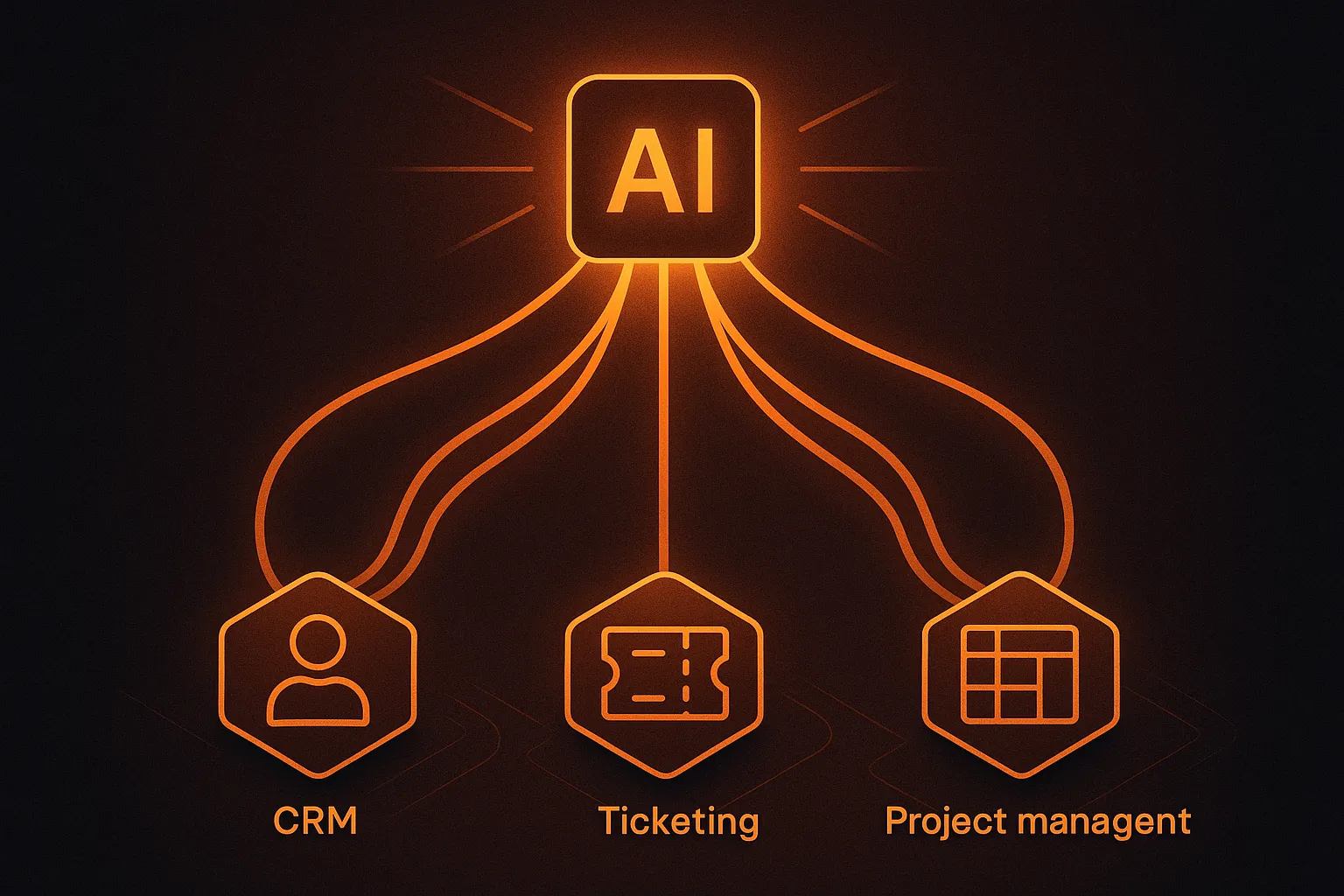
A CRM-agnostic AI agent layer sits on top of your existing systems — HubSpot or Salesforce for CRM, Zendesk for ticketing, Jira for project management — and orchestrates workflows across all of them. The architecture looks like this:
- SOP ingestion: The agent reads your standard operating procedures and maps them to executable workflows across systems
- Multi-system API access: The agent authenticates against each system's API and understands its schema
- Cross-platform execution: The agent creates, updates, and relates records across systems in a single workflow
- Human-in-the-loop: Approval gates and override controls ensure human oversight at decision points
- Audit trail: Every action is logged with full context across all systems
This architecture works regardless of which CRM you choose. Whether your team runs HubSpot or Salesforce, the agent layer connects to it the same way it connects to Zendesk and Jira.
Why CRM Choice Still Matters
Even with a CRM-agnostic agent layer, your CRM choice affects automation quality in three ways:
-
API quality determines agent reliability. A CRM with consistent, well-documented APIs and burst-friendly rate limits makes it easier for agents to take reliable, real-time actions. HubSpot has the edge here for simplicity; Salesforce for breadth.
-
Webhook reliability determines reaction speed. Real-time event delivery means agents react in seconds, not minutes. HubSpot's webhook model — especially the fact that webhook calls don't consume API allocation — gives agents more headroom for high-volume workflows.
-
Data model flexibility determines workflow depth. If your automation needs to model specialized entities (freight claims, insurance policies, vendor disputes), Salesforce's unlimited custom objects provide more modeling power. HubSpot's 10 custom objects cover many mid-market use cases but may constrain complex operations.
The Cost Comparison: What You'll Actually Pay
Let's look at the real cost of running AI agents on each platform — including the hidden costs both vendors downplay.
HubSpot AI Agent Costs
| Component | Cost |
|---|---|
| Professional tier (required for Breeze agents) | ~$800/month (5 seats) |
| Enterprise tier (custom objects, advanced features) | ~$3,600/month (10 seats) |
| Breeze AI | Included in hub pricing |
| Breeze Studio custom agents | Included (Enterprise) |
| API capacity packs | Available, pricing varies |
| Estimated monthly total (50-person team, Enterprise) | ~$5,000-$8,000 |
HubSpot's pricing is predictable. AI features are included, and the main variable is seat count and tier level. There are no surprise Data Cloud bills or per-conversation charges for AI interactions.
Salesforce AI Agent Costs
| Component | Cost |
|---|---|
| Enterprise tier | $150/user/month |
| Data 360 Starter (required for full Agentforce) | $60,000/org/year ($5,000/month) |
| Agentforce per-conversation | $2/conversation |
| Agentforce Flex Credits | $500/100,000 credits |
| MuleSoft (for cross-platform integration) | $250,000+/year |
| Estimated monthly total (50-person team, Enterprise + Data Cloud) | $12,500-$20,000+ |
Salesforce's pricing is modular — which means it's easy to underestimate. The base license looks competitive, but Data Cloud, Agentforce consumption, and integration middleware add up quickly. A 50-person team processing 10,000 AI conversations per month on Salesforce could easily exceed $15,000/month before MuleSoft costs.
The CRM-Agnostic Alternative
A CRM-agnostic AI agent layer like CorePiper adds a per-case cost on top of your CRM licensing, but eliminates the need for MuleSoft or other integration middleware:
| Component | Cost |
|---|---|
| Your CRM (HubSpot or Salesforce) | As above |
| CorePiper AI agents | From $10/mo Starter or $99/mo Pro; Enterprise tuned to volume (full cross-platform workflow) |
| Integration middleware | Not needed |
| Estimated monthly total (50-person team, HubSpot Enterprise + CorePiper) | ~$6,000-$10,000 |
The key difference: CorePiper's resolved-case pricing covers the full cross-platform workflow — not just a single CRM interaction. A freight claim that touches Salesforce, Zendesk, and Jira counts as one resolved case, not three separate tool interactions.
How to Decide: A Framework for Operations Teams
Here's a practical framework for choosing between HubSpot and Salesforce when AI agent automation is a priority:
Choose HubSpot When:
- Your team is under 200 people and workflows are primarily CRM-native
- Speed of AI agent deployment matters more than customization depth
- You want predictable pricing without Data Cloud or consumption-based surprises
- Your API needs are standard — CRUD operations on contacts, deals, tickets
- You value webhook-driven real-time automation over complex event architectures
Choose Salesforce When:
- Your organization has complex, multi-department workflows requiring custom objects
- You already have a Salesforce admin team and Data Cloud is in place
- Your data model requires unlimited custom objects with complex relationships
- You need the depth of the Salesforce AppExchange ecosystem
- Budget is less of a constraint than flexibility
Choose CRM-Agnostic AI Agents When:
- Your workflows span CRM, ticketing, and project management systems
- Neither Breeze nor Agentforce covers your cross-platform automation needs
- You want to avoid vendor lock-in to a single CRM's AI ecosystem
- Your operations team works across Salesforce/HubSpot and Zendesk/Jira
- You need AI agents that can work with whatever CRM you choose — or switch to later
The Bottom Line
HubSpot and Salesforce both have legitimate AI agent capabilities in 2026. HubSpot wins on simplicity, speed of deployment, and predictable pricing. Salesforce wins on flexibility, depth, and enterprise-grade customization.
But for operations teams running workflows across multiple systems, the "which CRM has better AI" question is secondary to a more practical one: can either platform's AI agents actually automate the cross-platform workflows my team runs every day?
In most cases, the answer is no. Breeze agents don't leave HubSpot. Agentforce agents don't leave Salesforce without MuleSoft. And most operations teams don't live in one system.
The emerging pattern we see among operations teams — particularly in logistics, insurance, and e-commerce — is choosing a CRM based on its core strengths (HubSpot for mid-market simplicity, Salesforce for enterprise flexibility) and layering CRM-agnostic AI agents on top for cross-platform automation.
It's not about picking the better CRM for AI. It's about picking the CRM that works for your team, then adding the AI layer that works across your entire stack.
Looking for AI agents that work across your CRM, ticketing, and project management systems — not just inside one platform? Book a CorePiper demo to see cross-platform automation in action.