
Your SOPs Are the Missing Link to AI Agent Success: A Practical Guide
Document-matching AI fails because it guesses from history. SOP-driven AI succeeds because it follows your actual procedures. Here's the 5-step process to make it work.
 Mustafa BayramogluApril 11, 202616 min read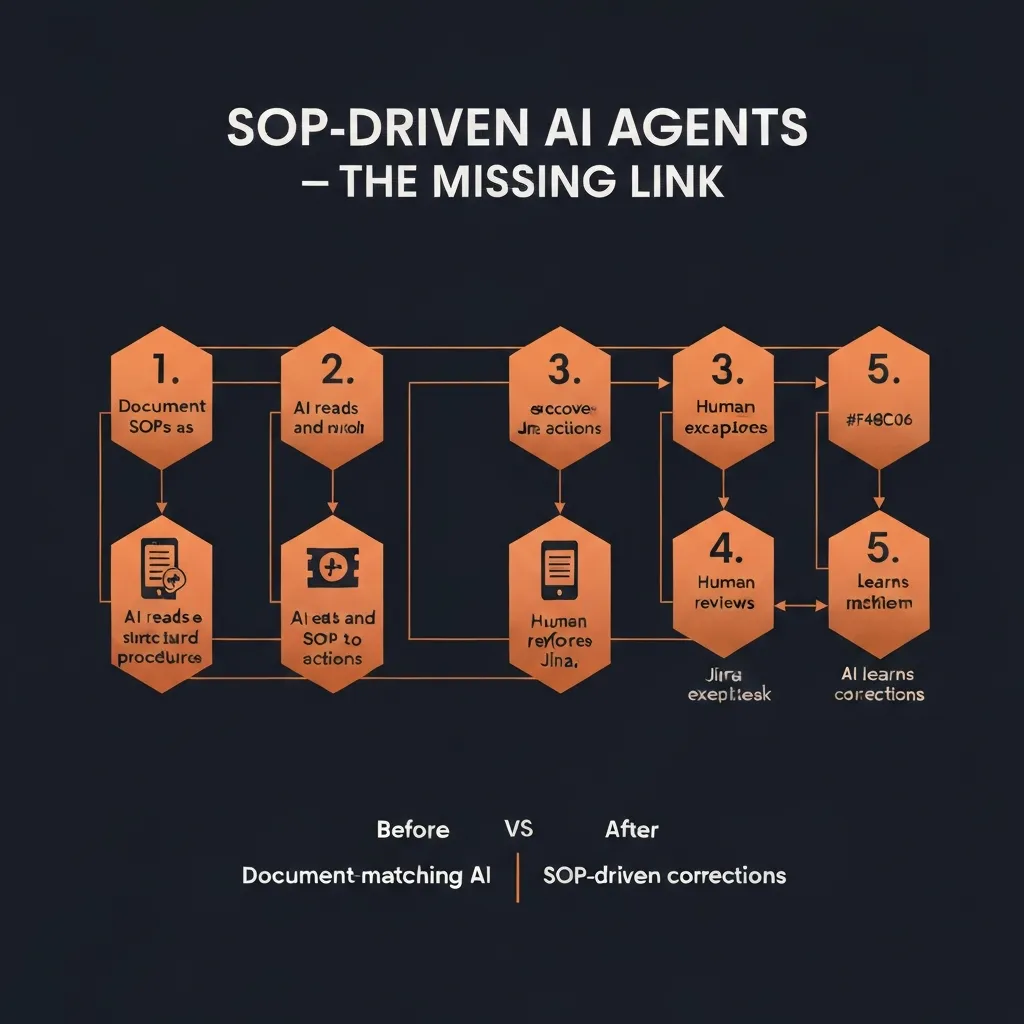
Quick Answer: The reason most AI agent implementations fail isn't the AI — it's the absence of documented procedures for the AI to follow. Document-matching AI guesses from historical patterns; SOP-driven AI executes your actual business logic. The 5-step process: (1) identify workflows with existing SOPs, (2) structure those SOPs for AI consumption, (3) connect the systems the SOP spans, (4) pilot with human oversight, (5) expand autonomy as accuracy proves out. This guide walks through each step with a concrete freight claims example.
The Real Reason AI Agent Projects Fail
Enterprise AI projects fail at staggering rates. Gartner estimates that 40% of AI projects will be abandoned by 2027. The post-mortems from failed projects reveal a consistent pattern: teams deployed AI before they knew what they wanted the AI to do.
"Let the AI figure it out" is not a deployment strategy. It's a way to generate an expensive proof-of-concept that doesn't survive contact with real operations.
The teams that succeed with AI agents share one characteristic: they know their processes before they automate them.
Not at a high level. Not in the minds of their best operators. In writing. In structured, step-by-step, unambiguous documentation that specifies what information to gather, what decisions to make, and what actions to take.
That's what a Standard Operating Procedure is. And it's the missing link between "AI pilot that demos well" and "AI agent that handles real workflows reliably."
Document-Matching AI vs. SOP-Driven AI
Understanding the failure mode of conventional AI approaches clarifies why SOP-driven AI works differently.
How Document-Matching AI Works
Most enterprise AI agents operate on a retrieval-augmented generation (RAG) model:
- You feed the AI your knowledge base — past cases, knowledge articles, documentation
- When a new case arrives, the AI searches for similar past cases or relevant documents
- The AI generates a response based on what happened in those similar cases
This approach works reasonably well for simple Q&A ("What's your return policy?") and for truly standardized interactions with little variation. It fails for operational workflows because:
Problem 1: Historical data reflects past procedures, not current ones. If your returns policy changed three months ago, every AI response grounded in pre-change tickets will be wrong. The AI is faithfully learning from history — but history is no longer accurate.
Problem 2: Procedures vary by segment, tier, and context. A freight claim for an enterprise customer follows a different process than one for a standard account. Document-matching AI will find "most similar" cases and replicate them — but if the similar cases include the wrong tier, the AI applies the wrong procedure.
Problem 3: Edge cases aren't in the training data. By definition, novel situations haven't happened before. Document-matching AI has no good answer for cases that don't resemble anything in its training corpus. It either hallucinates a plausible-sounding answer or escalates — which defeats the automation purpose.
Problem 4: The AI can't tell you why it did what it did. When something goes wrong with a pattern-matched decision, tracing the reasoning is nearly impossible. This creates compliance risk and makes systematic improvement difficult.
How SOP-Driven AI Works
SOP-driven AI operates from explicit procedures, not historical patterns:
- You document your actual business procedures as structured, step-by-step logic
- The AI reads those procedures and builds an action map — what to query, when, from which system
- When a case arrives, the AI executes the procedure step-by-step
- When the AI encounters an edge case not covered by the SOP, it escalates to a human
- That human's decision becomes a refinement to the SOP, improving future handling
The difference is fundamental:
- Document-matching: "What did we do before in similar situations?"
- SOP-driven: "What does our procedure say to do in this situation?"
SOP-driven AI is auditable (every step follows a defined procedure), correctable (update the SOP, the AI behavior changes), and improvable (human corrections become procedural refinements). Document-matching AI has none of these properties.
The 5-Step Process to SOP-Driven AI Implementation
Step 1: Identify Workflows That Already Have Implicit SOPs
You have more documented procedures than you think. The question is whether they're explicit or implicit.
Explicit SOPs: Written runbooks, process documents, wiki pages, training materials — anything that describes how to handle a specific situation.
Implicit SOPs: The knowledge that lives in your best operators' heads. When you ask your most experienced claims processor "how do you handle a shortage claim for a tier-1 customer?", the detailed answer they give you is an implicit SOP.
Start by identifying workflows that meet three criteria:
- Repeated — happens frequently enough to justify automation investment
- Consistent — there's a right way to do it that experienced operators agree on
- Multi-step — involves pulling data from multiple places and making decisions
Common candidates in operations environments:
- Freight claims processing (damage, shortage, loss)
- Customer escalation routing by tier
- Billing dispute investigation
- Case status update communications
- Warranty claim processing
- Returns authorization workflows
Target for pilot: Start with a workflow where you have high volume and clear existing procedure. Not the most complex thing you do — the most common thing you do.
Step 2: Structure SOPs for AI Consumption
Raw documentation doesn't work for AI agents. A four-page Word document written for human onboarding needs significant restructuring before an AI can execute it reliably.
What makes an AI-ready SOP:
1. Precise trigger conditions Not: "When a customer reports damage" But: "When a ticket is created with damage tag, OR when a customer email contains keywords [damage, broken, defective, arrived wrong] AND has an order number"
2. Sequential numbered steps with explicit decision points Not: "Review the case and determine next steps" But:
Step 1: Query TMS for shipment record using order number from ticket
Step 2: Check delivery date — if >9 months ago, route to CLOSED-EXPIRED and notify customer
Step 3: Verify customer tier in Salesforce — if tier = Enterprise, proceed to Step 4; if Standard, proceed to Step 7
Step 4: [Enterprise path continues...]
3. Data sources for each step Specify which system each query hits. "Check account status" is not enough. "Query Salesforce Account object for contract tier field using account ID from ticket" is executable.
4. Escalation criteria Not: "Escalate when needed" But: "Escalate to senior claims processor if: (a) claim value exceeds $10,000, OR (b) carrier has denied claim and we disagree, OR (c) any step cannot be completed due to missing system data"
5. Success definition What does a complete, correctly handled case look like? Define this explicitly so the AI can verify completion.
Format for AI consumption:
# SOP: Shortage Claim — Standard Processing

## Trigger
- Ticket tagged [shortage] OR customer message contains ["short shipped", "missing items", "didn't receive all"]
- Order number present in ticket

## Steps

### 1. Retrieve Shipment Data
- System: TMS (order management)
- Query: GET shipment by order_number
- Required fields: ship_date, carrier, tracking_number, items_shipped, items_ordered
- If not found: escalate with note "Order not found in TMS — manual lookup required"

### 2. Calculate Shortage
- Compare items_shipped vs items_ordered
- If difference > 0: shortage confirmed, proceed to Step 3
- If no difference: route to "No shortage found" response template

### 3. Determine Carrier Responsibility Window
- Check ship_date vs today
- If >9 months: route to EXPIRED, send expiration notice template
- If within 9 months: proceed to Step 4

[...continues...]
Step 3: Connect the Systems the SOP Spans
Most operational SOPs span multiple systems. Mapping the data flow before deployment prevents the most common implementation failure: discovering mid-workflow that the AI can't access a required data source.
System connection checklist:
For each system your SOP touches:
- API access confirmed and tested
- Authentication credentials established
- Required fields accessible via API (not just UI)
- Write permissions confirmed (if SOP requires creating/updating records)
- Rate limits understood and adequate for expected volume
Common systems in operations SOPs:
- CRM (Salesforce): Customer data, account tier, case history
- Ticketing (Jira/Zendesk): Case creation, status updates, escalation
- TMS: Shipment data, carrier records, delivery confirmation
- ERP/WMS: Inventory, receiving records, order data
- Carrier portals: Claim filing, status tracking (requires browser automation for portals without APIs)
- Email: Customer communication, carrier correspondence
The integration discovery phase often reveals that data that "lives in the system" is actually inaccessible via API, or requires field-level access that needs IT provisioning. Discover these gaps before building automation, not during.
Step 4: Pilot with Full Human Oversight
The biggest mistake in AI agent deployment is removing humans too soon.
The right pilot structure:
Phase 1: Human reviews every action (weeks 1–2) The AI executes every step of the SOP and creates a proposed action plan, but no actions are taken without human confirmation. Your experienced operators review each proposed plan and either approve it or correct it.
Two outcomes from every case:
- Approved: AI's plan was correct. This builds confidence and measures accuracy.
- Corrected: Something in the plan was wrong. This becomes a training signal and (often) a SOP refinement.
What to measure in Phase 1:
- Action plan accuracy rate (% that would have been approved without changes)
- Common error types (does the AI consistently miscalculate something? Miss a data source?)
- Edge case frequency (what % of cases hit scenarios not covered by the SOP?)
Phase 2: Human reviews exceptions only (weeks 3–4) For cases where the AI's confidence is high and the pattern has been seen many times, allow the AI to execute automatically. For novel situations or low-confidence decisions, require human review.
Phase 3: Expand autonomy by case type (weeks 5+) Identify the case types with the highest accuracy rates and lowest edge case frequency. Grant full autonomy for those types. Maintain human review for complex or high-value cases.
The key insight: Don't aim for 100% automation immediately. 80% automated + 20% human-reviewed is transformatively better than 0% automated. The 20% human-reviewed cases are exactly the cases where human judgment adds the most value.
Step 5: Build the Feedback Loop That Makes AI Smarter Over Time
The compounding value of SOP-driven AI comes from its feedback loop. Every human correction teaches the system something.
What corrections teach the AI:
-
SOP refinements: If the AI consistently makes the same mistake, the SOP has a gap or ambiguity. Fix the SOP, the AI behavior changes.
-
New edge case coverage: When a human handles a case the AI couldn't, document how they handled it and add it as a new SOP branch. The AI gains coverage of that edge case.
-
Confidence calibration: Over time, the AI learns which case patterns produce reliable results (and can be automated fully) and which require human review (and should maintain oversight).
-
Procedure evolution: When business rules change (new carrier partnership, updated customer tier structure, regulatory requirement), updating the SOP propagates the change to AI behavior automatically.
This is the fundamental difference between SOP-driven AI and static automation: it gets better through use, and it stays current as your procedures evolve.
Before and After: Freight Claims Processing
The concrete example makes the difference vivid.
Before: Document-Matching AI on Freight Claims
A logistics company deploys a standard AI chatbot trained on historical claim records.
The AI sees a new shortage claim from an enterprise customer. It searches for similar past cases and finds 50 shortage claims from the last 90 days. It patterns its response on the most common resolution in those cases: a standard shortage acknowledgment email.
What the AI misses:
- This customer is tier 1, which requires a different process (dedicated claims liaison, expedited filing)
- The shortage is from a carrier with a history of denying this claim type — the experienced human knows to file with insurance instead
- The filing deadline is in 3 days (not the standard 9 months) because this was concealed damage
The AI sent an incorrect email, missed the critical deadline detail, and initiated the wrong filing process. A senior claims processor caught it 48 hours later — now with only 1 day left before the deadline.
After: SOP-Driven AI on Freight Claims
The same company deploys SOP-driven AI with documented freight claims procedures.
The AI sees the same shortage claim:
- Queries TMS for shipment record → confirms shortage details
- Checks customer tier in Salesforce → identifies Enterprise tier → loads Enterprise SOP branch
- Calculates filing window from delivery date → identifies 3-day deadline (concealed damage window) → flags as URGENT
- Checks carrier history from internal records → identifies this carrier has >40% denial rate → checks insurance coverage
- Insurance covers this claim type → prepares dual filing: carrier claim + insurance claim simultaneously
- Creates Jira ticket with full documentation, sets 24-hour SLA for claims liaison review
- Sends escalation notification to account manager (Enterprise tier SOP step)
- Drafts carrier claim filing with complete documentation
Result: Correct process, both filings initiated within 2 hours, 3-day deadline captured, no deadline miss.
The difference is the SOP: the AI followed the documented Enterprise-tier procedure for concealed damage with a problematic carrier. The document-matching AI had no way to know these distinctions mattered.
Common SOP-to-AI Implementation Mistakes
1. Treating SOP documentation as a one-time project SOPs evolve. Carriers change their requirements. Customer tiers change. New products create new claim types. Build a process for updating the SOP library as procedures change — the AI's accuracy depends on SOP currency.
2. Automating before documenting "We'll write the SOPs as we go" results in incomplete automation that requires constant human intervention. Document first, automate second.
3. Conflating knowledge base and SOP A knowledge base answers questions. An SOP describes how to take action. Both are valuable, but they're different artifacts. Confusing them results in AI that can answer "what's the returns policy?" but can't actually process a return.
4. Setting autonomy too high too fast The first 4 weeks should be high-oversight regardless of how well the pilot is going. Building trust in the AI's behavior requires seeing it perform correctly across diverse case types — not just the easy ones it handles in demos.
5. Not capturing edge case learnings Every time a human handles a case the AI couldn't, that's a free SOP refinement opportunity. If you're not systematically capturing those learnings and updating the SOP, you're leaving compounding value on the table.
The SOP Audit: Where to Start
If you're not sure where to start, run a 2-week SOP audit:
-
Identify your top 10 workflow types by volume — what do your ops team handle most often?
-
For each, ask two questions:
- "Does a documented procedure exist for this?" (explicit SOP)
- "Could you write one down by interviewing your best operator?" (implicit SOP)
-
Score each workflow on:
- Volume (how many per month?)
- Consistency (how variable is the right approach?)
- Multi-system (how many systems does it touch?)
- Automation readiness (how much unstructured judgment does it require?)
-
Select pilot workflow — highest volume + most consistency + multiple systems. Usually this is your most common routine case type, not your most complex.
-
Document the SOP for that workflow before any technology decisions.
That two-week exercise will give you more clarity on your AI automation path than any vendor demo.
Further Reading
- What Are SOP-Driven AI Agents? Definition, Benefits, and Use Cases
- How AI Agents Learn from Corrections: The Case for Human-in-the-Loop
- The $50 Billion Freight Claims Problem Nobody's Solving (Until Now)
- How to Run AI Agents Across Salesforce, Zendesk, and Jira Without Custom Code
Bottom Line
The SOPs exist in your organization. Your experienced operators follow them every day. The question is whether you've written them down in a form that an AI agent can execute.
Most teams haven't. And that's the real reason their AI projects fail — not because the AI is bad, but because the AI has nothing clear to follow.
Document the procedures. Structure them for AI consumption. Connect the systems. Pilot with oversight. Build the feedback loop.
The 5 steps above describe the path from "AI pilot that works in demos" to "AI agents that handle real operational workflows reliably — and get better over time."
Ready to Put Your SOPs to Work?
CorePiper reads your SOPs and executes them across Salesforce, Jira, and Zendesk. Start with one workflow in days.
Frequently Asked Questions
Q: What is a SOP-driven AI agent?
A SOP-driven AI agent is one that reads and executes your organization's Standard Operating Procedures step-by-step, rather than relying on pattern-matching against historical data. Instead of guessing what to do based on similar past cases, it follows the explicit decision logic in your documented procedures — and adapts when those procedures change.
Q: Why does document-matching AI fail where SOP-driven AI succeeds?
Document-matching AI fails when procedures vary by customer tier or context, when edge cases arise outside the training data, and when procedures change but historical data reflects the old way. SOP-driven AI follows your current documented procedures explicitly, not historical patterns — making it accurate, auditable, and correctable.
Q: How do you write SOPs for AI agent consumption?
Effective SOPs for AI agents need five components: precise trigger conditions with measurable thresholds, sequential numbered steps with explicit decision points, data sources for each step (which system to query), escalation criteria with clear thresholds, and success metrics. The goal is procedural clarity that leaves no ambiguity in decision-making.
Q: How long does it take to implement SOP-driven AI agents?
The fastest path is: 1 week for SOP documentation sprint, 1–2 days for integration setup, 1 week of pilot operation with human oversight, then gradual autonomy expansion. Teams that try to automate before documenting take 3–6x longer because they're building the AI and discovering the procedure simultaneously.
Q: What is the difference between RPA and SOP-driven AI agents?
RPA executes fixed, scripted sequences of actions — it breaks when anything changes. SOP-driven AI agents understand the intent behind each step and can adapt to variations (different data formats, changed portal interfaces, edge case inputs) while still following the defined procedure. SOP-driven AI also handles decision points that RPA can't — choosing between options based on context.